
How to add new WordPress site to existing Server on Cloudusk
< 1 min read
Once you have launched a server, you might want to host new WordPress website on that server. Every plan on Cloudusk comes with the ability to host unlimited WordPress websites. The only constraint is hardware resources on the chosen server. After launching your first WordPress website on a server, main page on the dashboard will look like this.
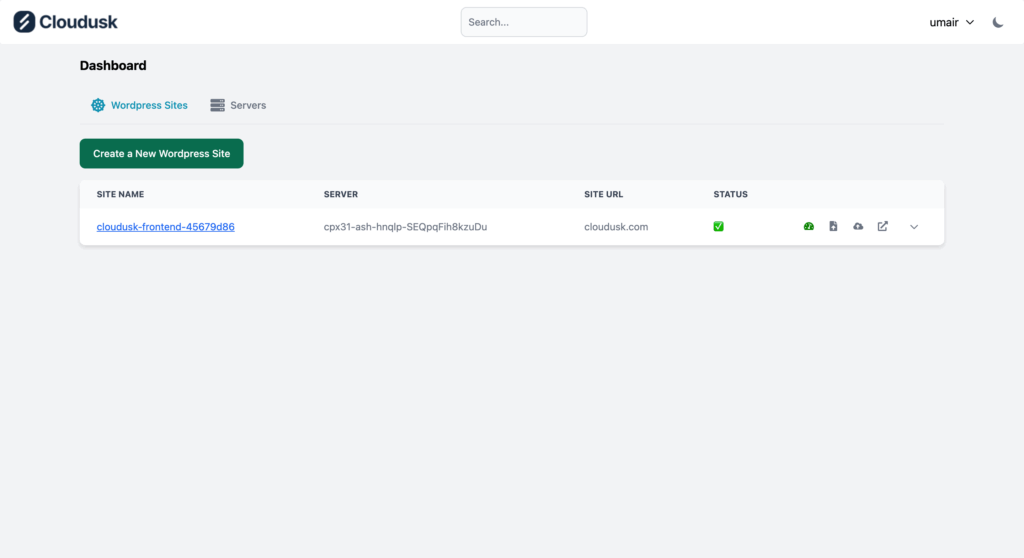
There is a green button with text “Create a New WordPress Site”. Press it and you will be redirected to the following page. Creating new WordPress site is simple.
- Enter URL of the WordPress site to host.
- Give it a name to be identified on Cloudusk’s platform.
- Choose whether it is a “Single” or “Multisite” WordPress. Default is “Single” which is the common case.
- Choose the server if you have multiple to deploy on. If you have multiple servers, those will be listed in the dropdown.
- Press the create button.

That’s all. You will be taken to main page where all actions being taken to deploy the WordPress website are displayed.


